System Barebones Restore
From Erwin Computer Repair Backup Stick
I do provide restore points for each machine (via system restore -- no usb needed) -- one with bare install and one with all tweaks and additional software. This I thought was optimal. However, regardless of settings, Microsoft takes it upon itself to wipe out any earlier restore points after some of its large updates, which can make creating these restore points useless. So although I still make the restore points, I now ALSO make "bare metal" restore disks, on 64GB USB sticks, and include them when I sell any machine.
I'm currently using Hasleo Backup, whose instructions are below.
I initially used Aomei Backupper, for which the instructions are further down...
Step-By-Step -- How to Restore System from Hasleo Backup USB
- Make sure your backup USB stick is inserted in your machine.
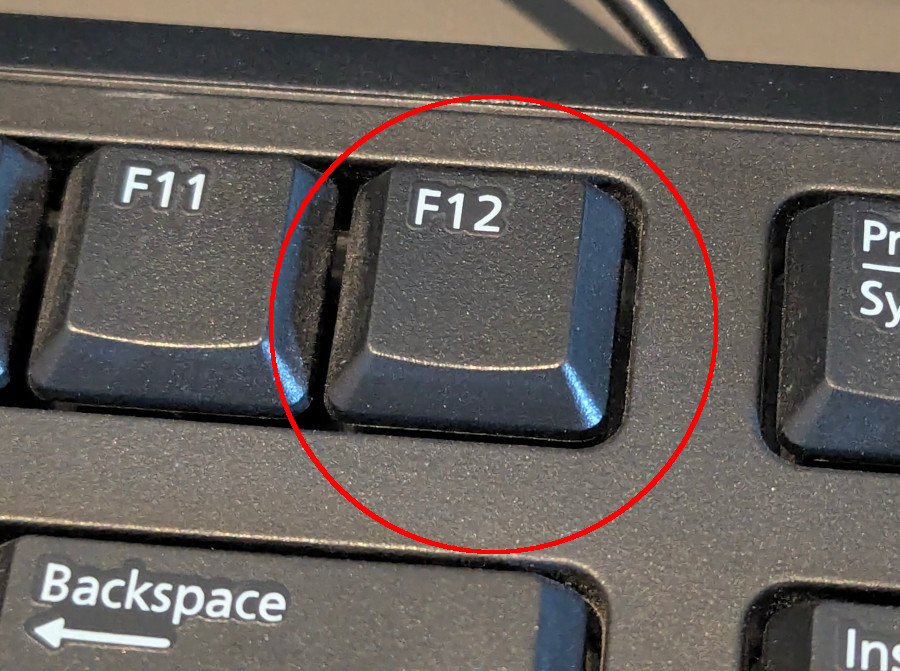
Then start the machine (or restart) -- and immediately tap the F12 key every second or two, until the text: Preparing one-time boot menu... appears in the upper-right corner of the screen. At that point you can stop pressing F12 and wait a moment.
-
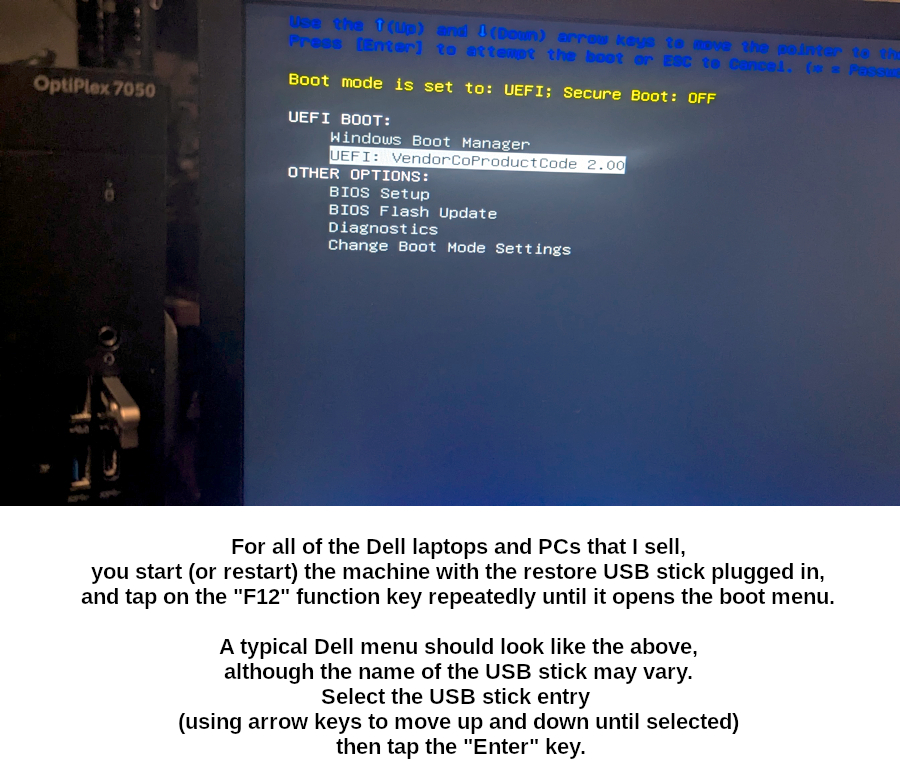
The next screen on any Dell machine should show the following items --
although the NAME of the UEFI Hard Drive (USB Stick) might vary.
Using the arrow keys make sure the UEFI: USB Hard Drive is selected, then hit Enter.
- It takes a little while to load,
then the Hasleo Backup interface will appear. After it does, click the Browse image to restore button on the right.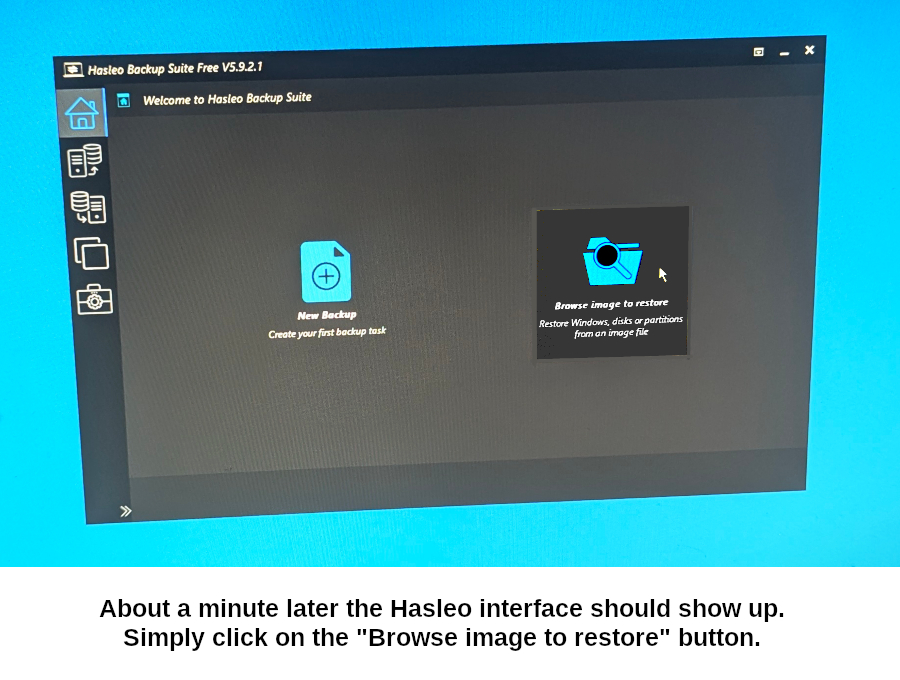
- Now to find the restore image (DBI) file.
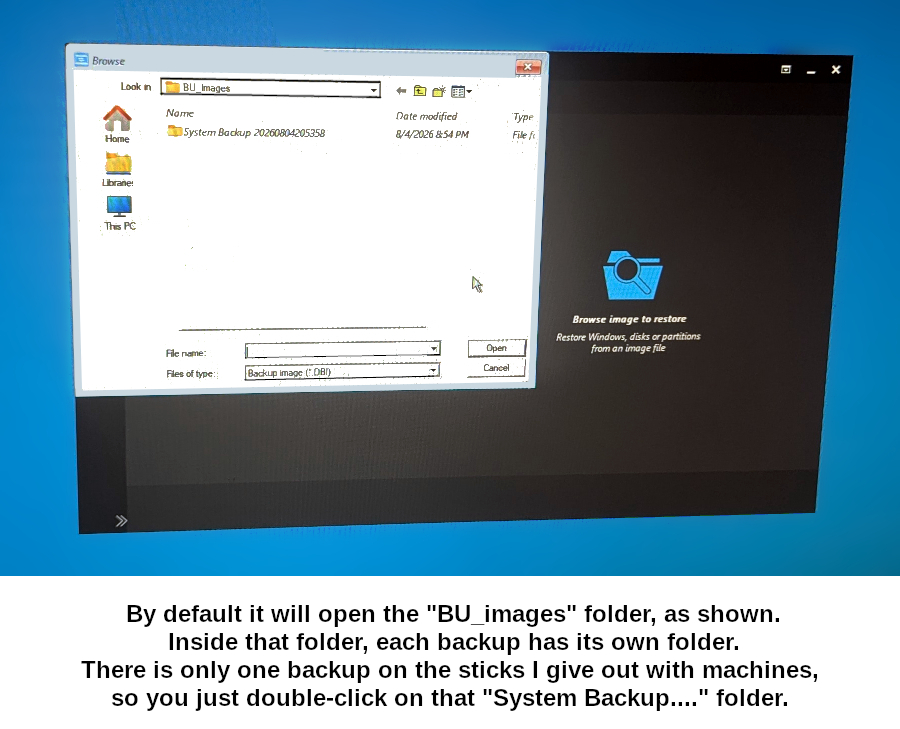
Browsing automatically starts in the BU_images folder. There should be one subfolder in there, starting with System Backup...
double-click that or select it and click open.
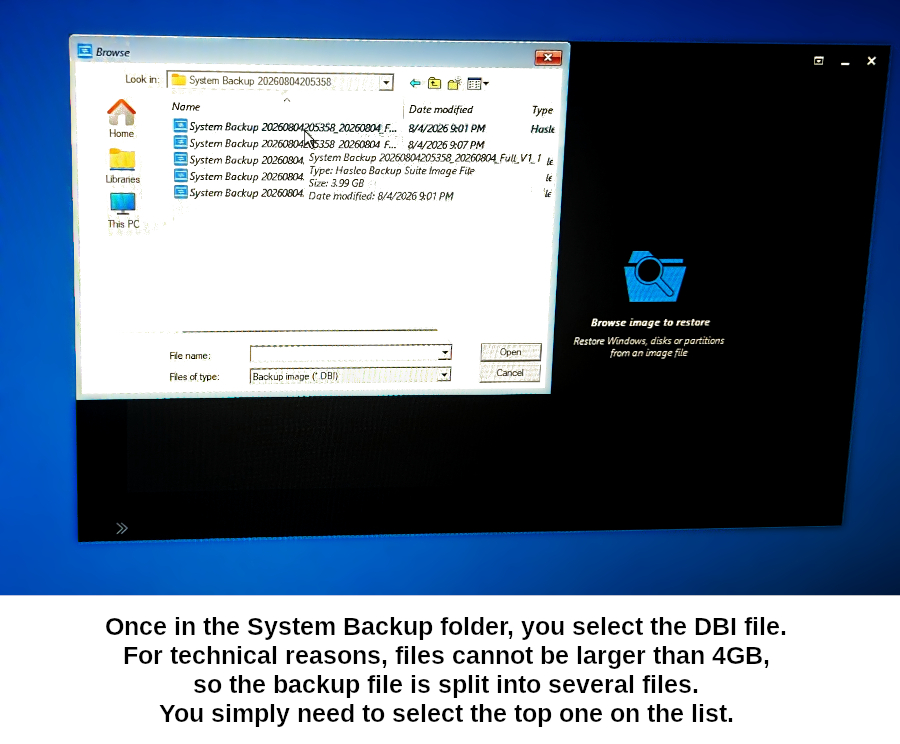
- We're looking for an image file (.dbi)
Don't be confused when you see several of them. The DBI filke is too large to be saved as a single file on the USB stick, so it is split into parts. You just need to select the first (top) one.
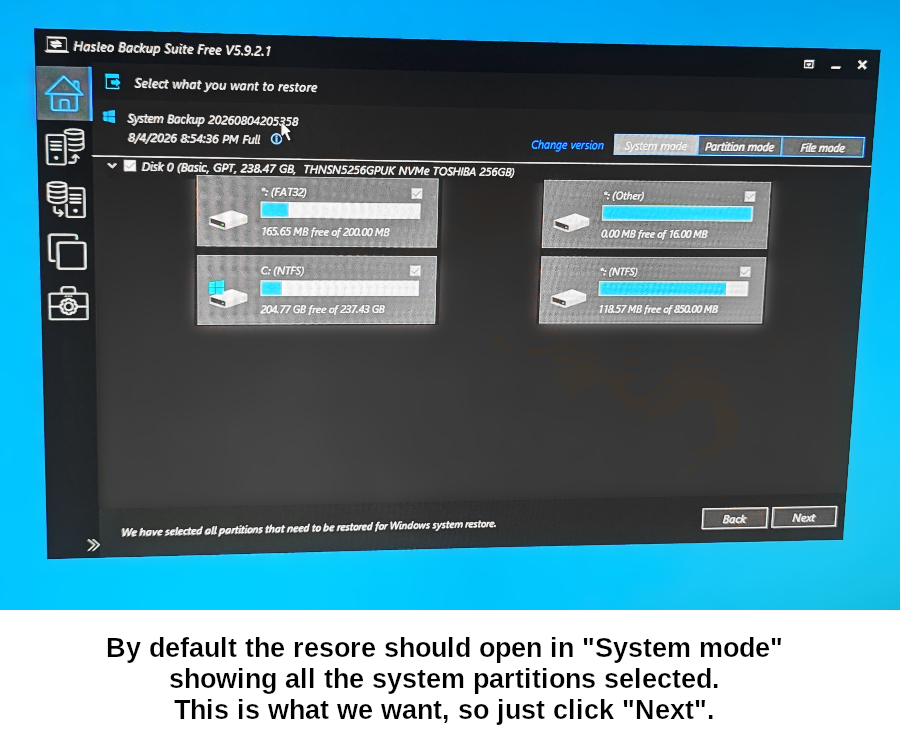
- Now you are asked where you wish to restore.
By default, the mode of the restore is set to System mode, so the system drive and all its partitions are selected for you. This is how it should be. Just clisk Next.
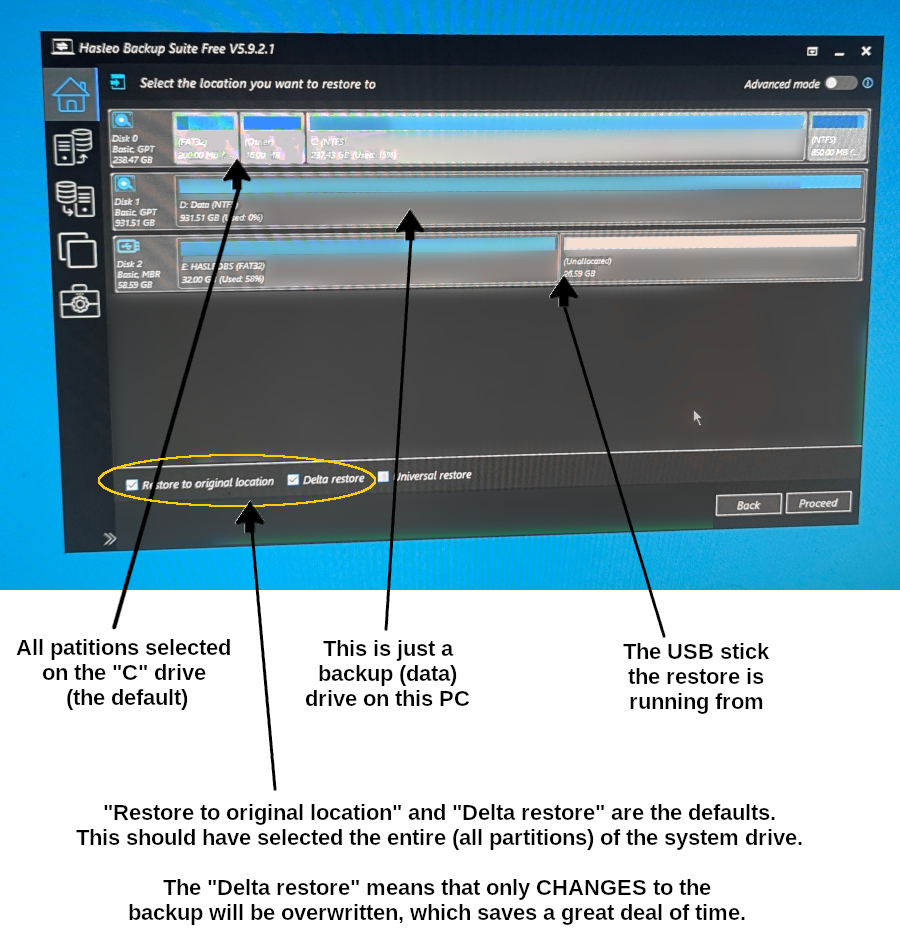
- Now it asks where to restore TO (destination.)
The system drive and all its partitions should be selected. Any other drives, including the restore USB will likely be listed under that, but obviously don't select one of them. You will notice the Restore to original location and the Delta restore options near the bottom are both checked. These are all the defaults. You should simply need to click Proceed.
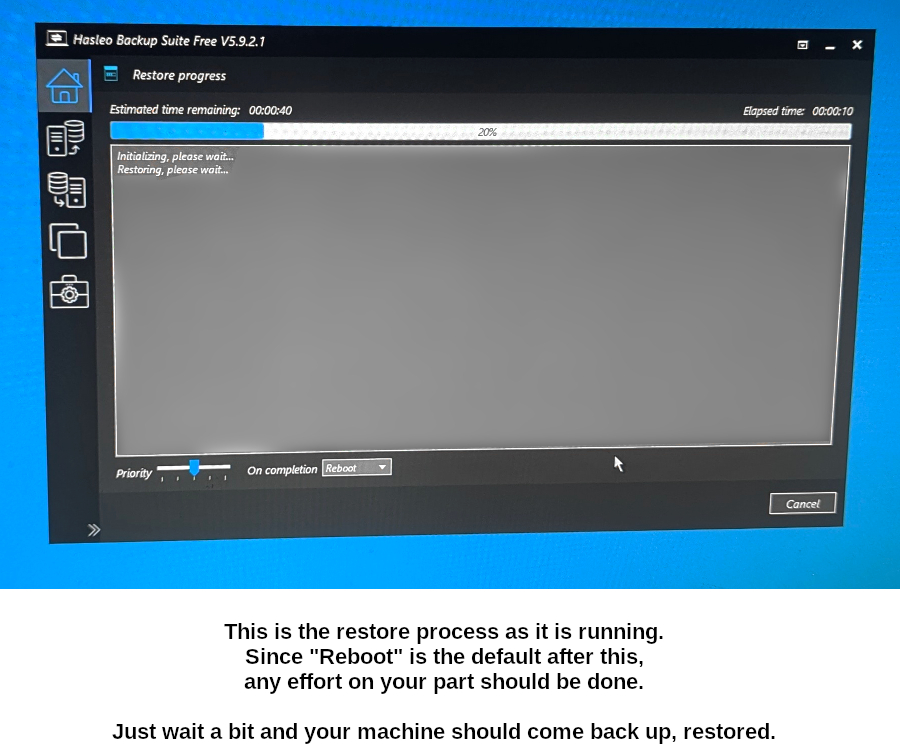
- System restore begins. Progress is shown.
According to defaults it will finishnand automatically reboot your machine.
You should be done.
Step-By-Step -- How to Restore System from Backupper USB
- Make sure your "Backupper" USB stick is inserted in your machine.
Then start the machine (or restart) -- and immediately tap the F12 key every second or two, until the text: Preparing one-time boot menu... appears in the upper-right corner of the screen. At that point you can stop pressing F12 and wait a moment.
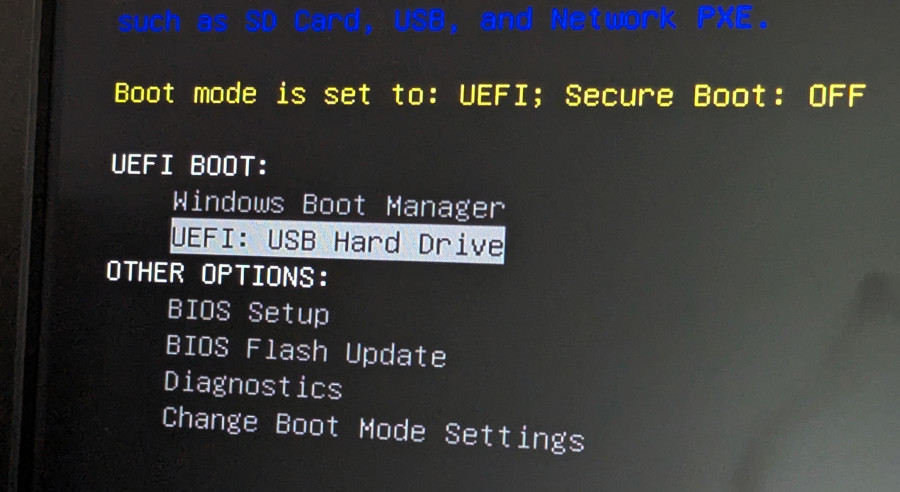
- The next screen should show the following items.
Using the arrow keys make sure the UEFI: USB Hard Drive is selected, then hit Enter.
- It takes a little while to load,
then the Aomei Backupper will appear. After it does, click the Restore button near the top.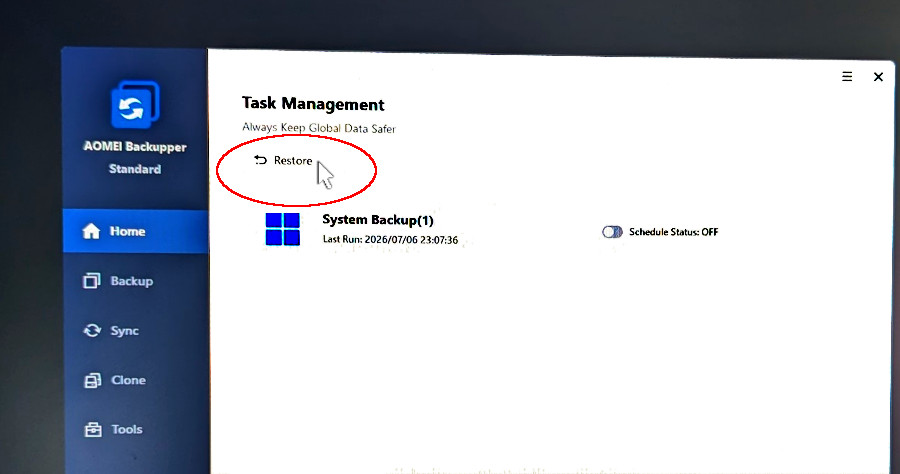
- After the Restore page loads,
choose Select image to restore near the bottom left.
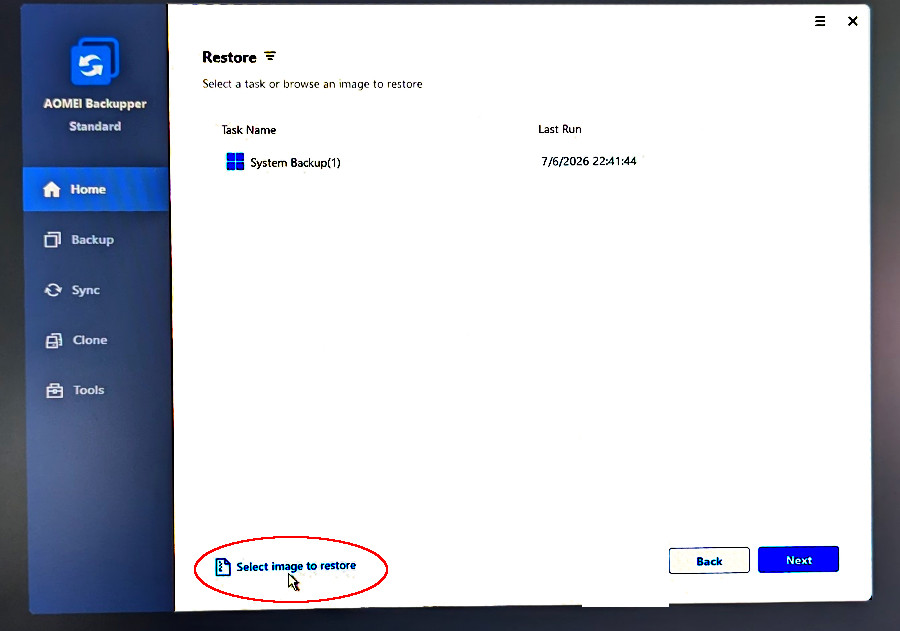
- We're looking for an image file (.adi)
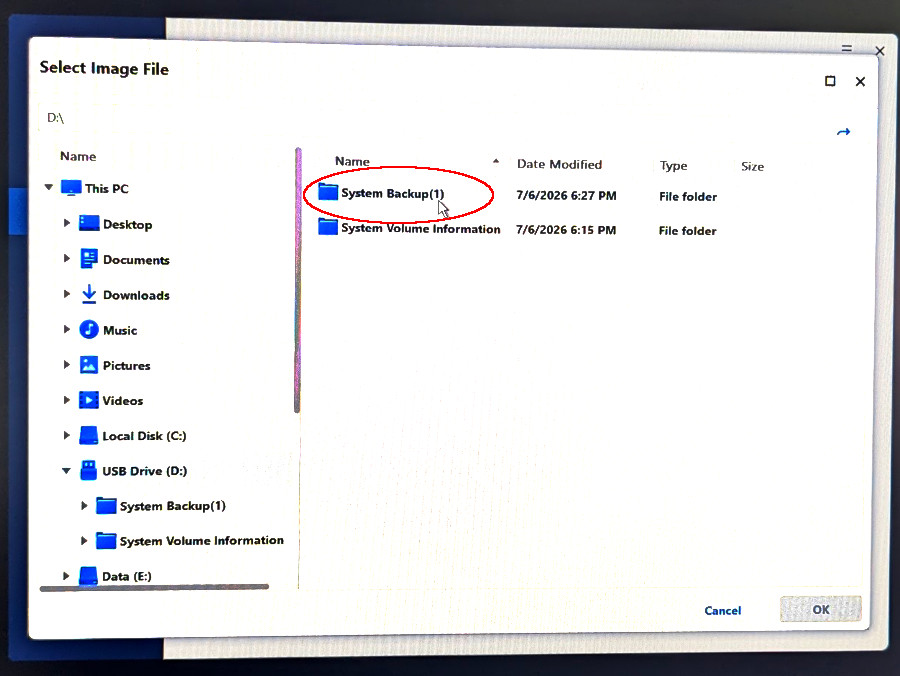
but have to find the drive it resides on first. It should be labeled USB Disk but might vary. It is usually the D drive -- but that can also vary. You will know you chose correctly if the two folders in screenshot 6 show up. If not, use the menu on the left to chose another drive.
Naturally, after you have made your drive choice, click OK.
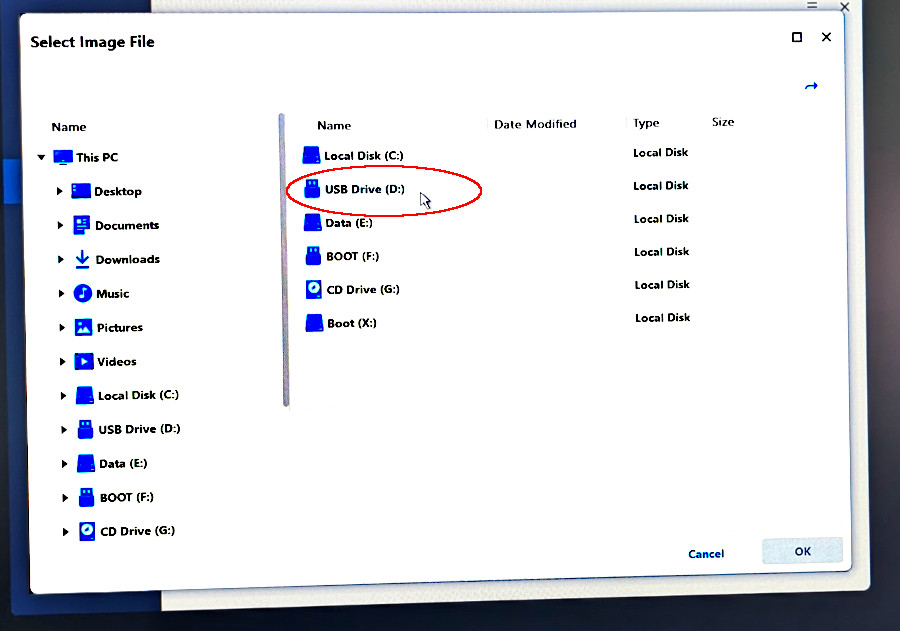
- Select that System Backup folder,
then click OK.
- There should be only one system backup file there,
select it and click OK.
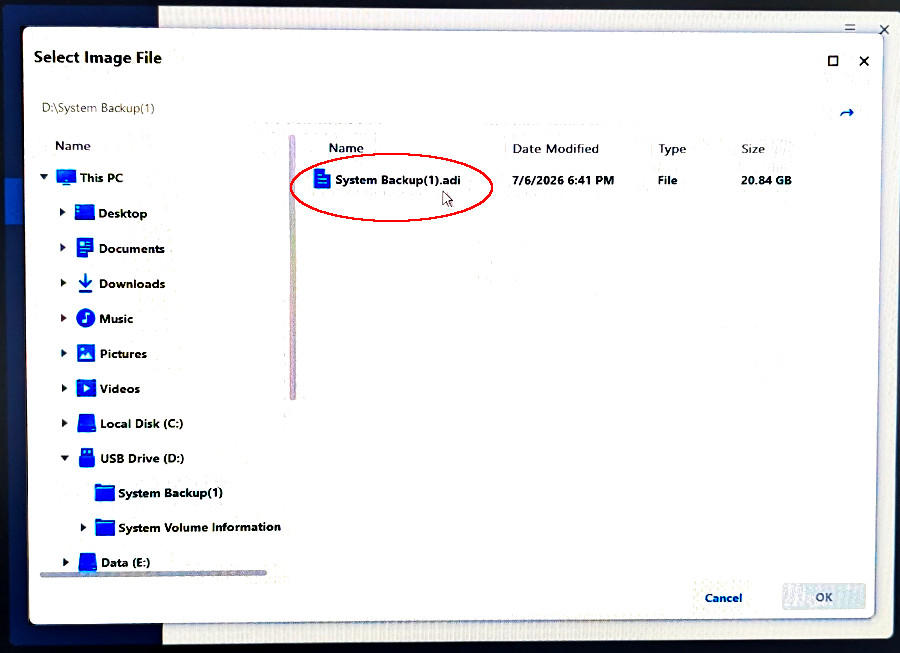
- ...don't let this part be confusing.
Just make sure the default Restore this system backup is checked and click NEXT.
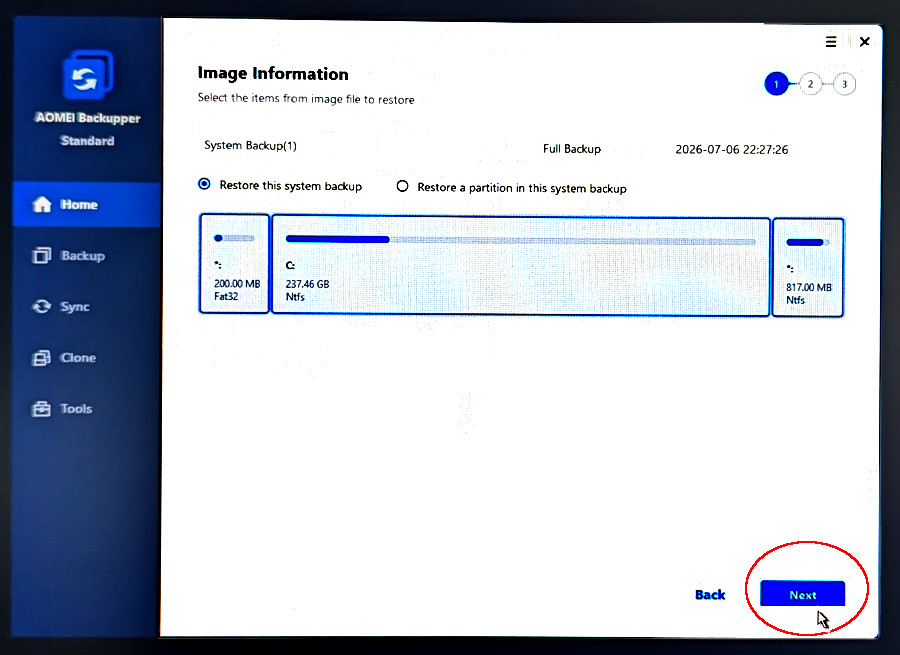
- Don't let the DESTINATION part make you apprehensive either.
Just make sure the default Restore to original location is checked, then click Next.
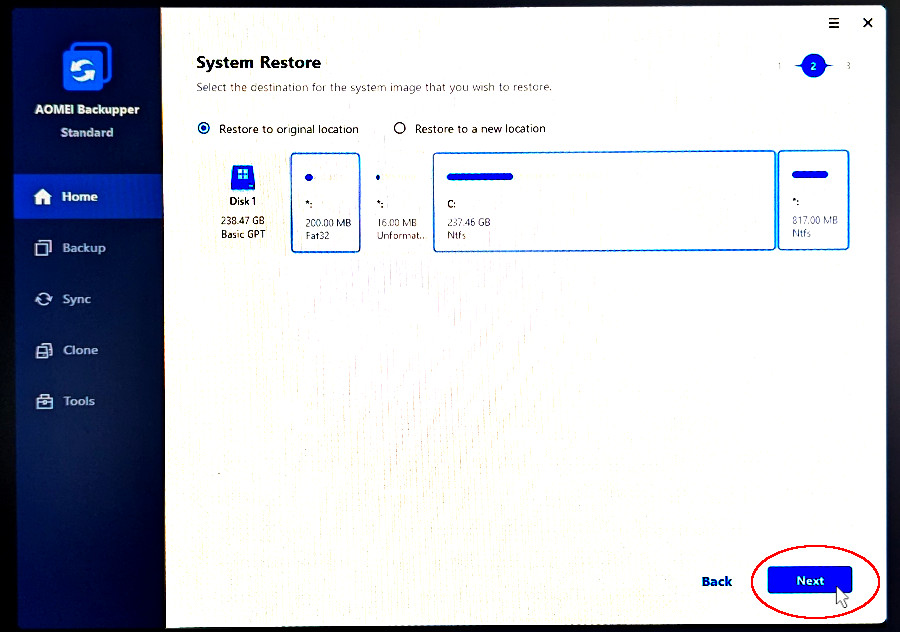
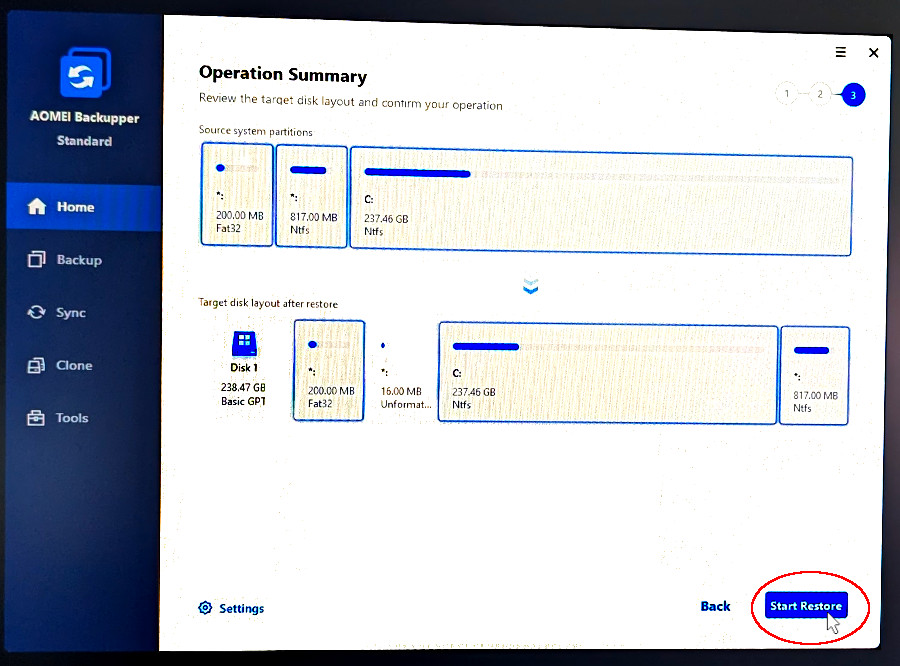
- After that the SUMMERY page comes up,
click Start Restore.
This usually takes about 15 minutes,
but can vary quite a bit depending on the speed of the machine.
- And after it reaches 100%, don't interrupt it or click anything. It is still
working until a competion page/message appears.
At that point I just X out and restart. I don't use the PE environment.