Set Google Chrome
as the default web browser
With some updates, Windows like to make Microsoft Edge take over web browsing duties, stealing the default from Google Chrome (or Firefox, Brave, or whatever else you might happen to be using.)
Quite annoying, especially if you have your bookmarks/favories all mapped out and passwords saved. Luckily, this is easy to rectify. Just a few steps, shown below in screenshots.
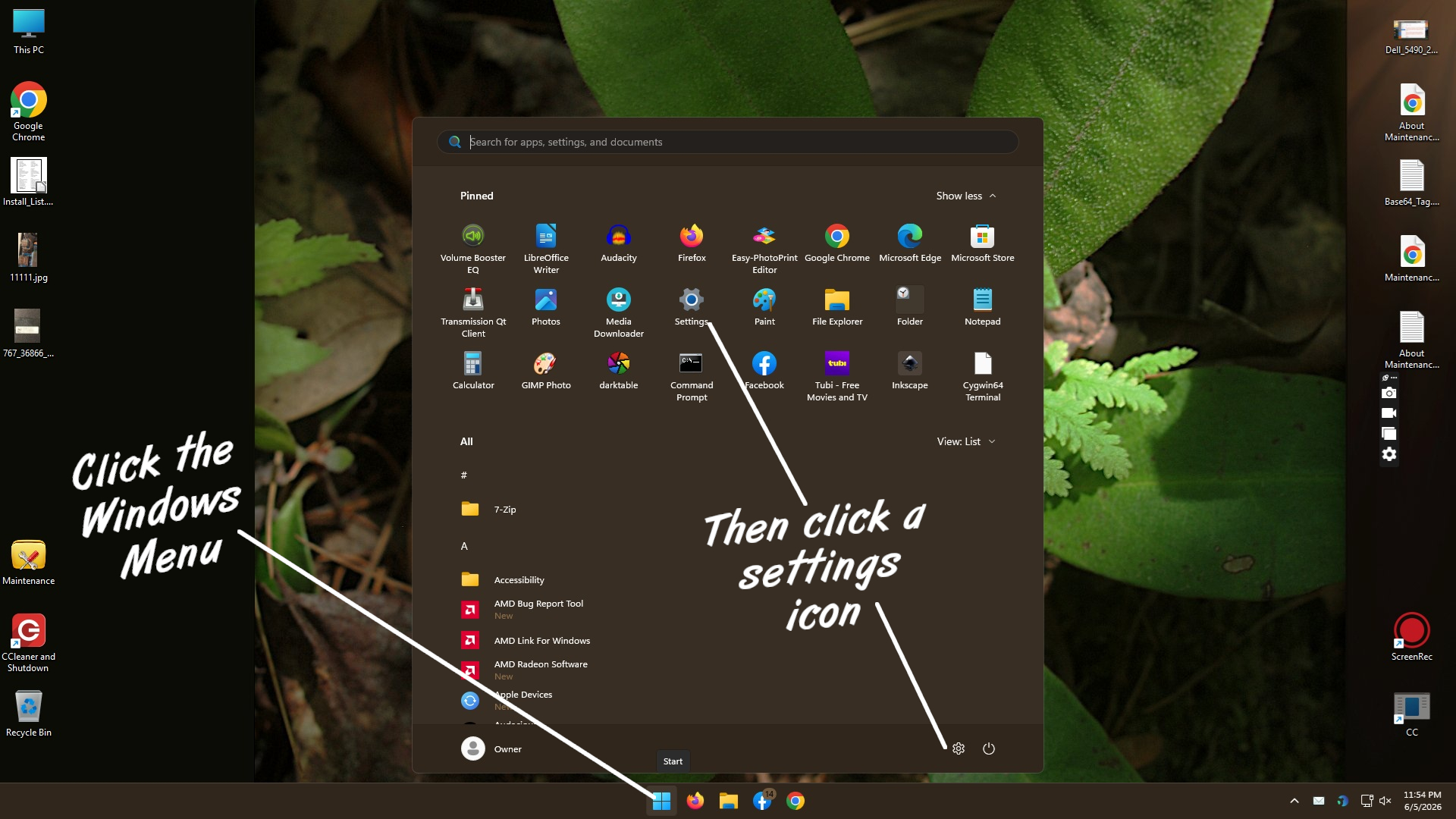
Start Menu > Settings
Choose Apps
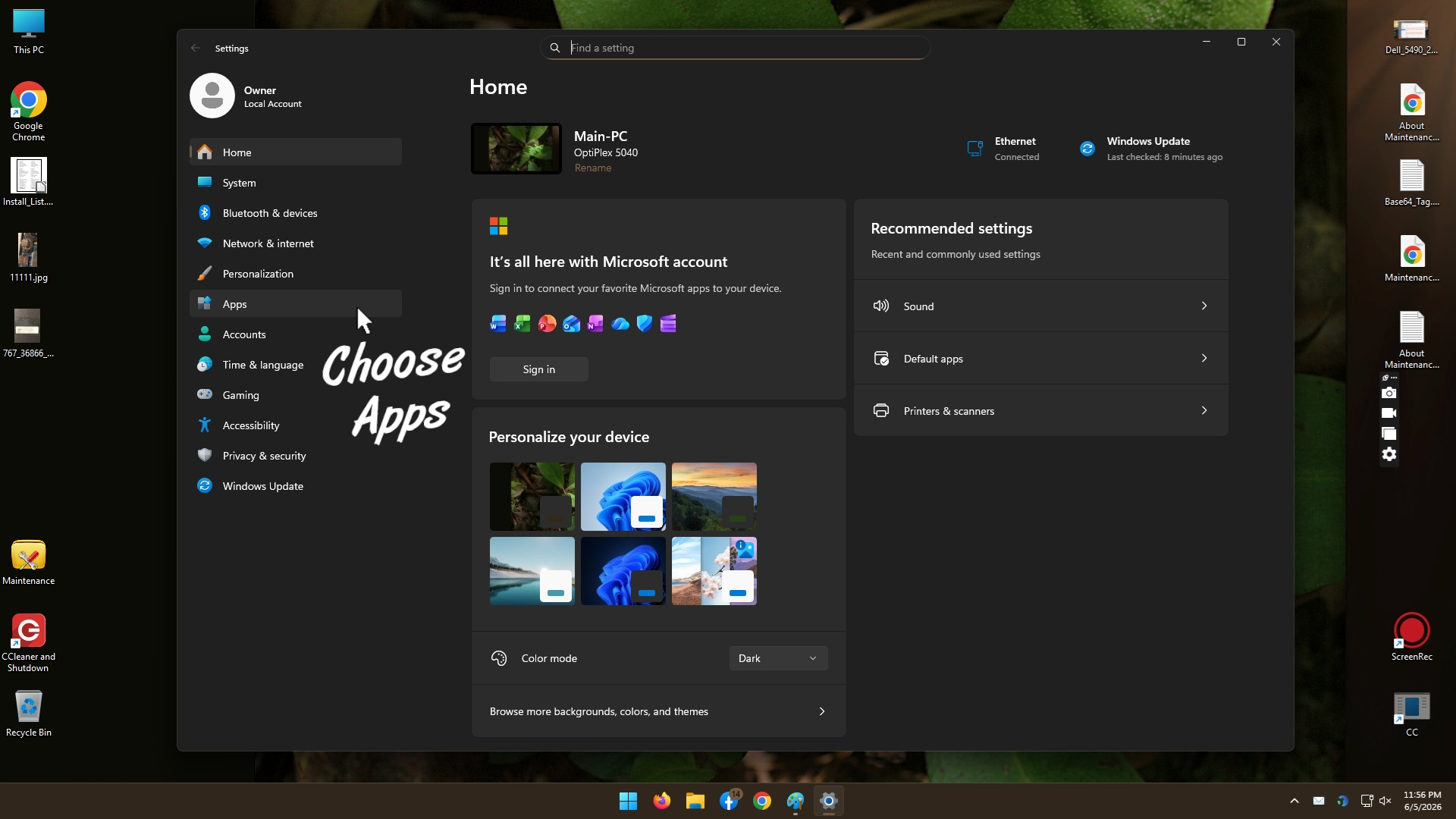
Choose Apps
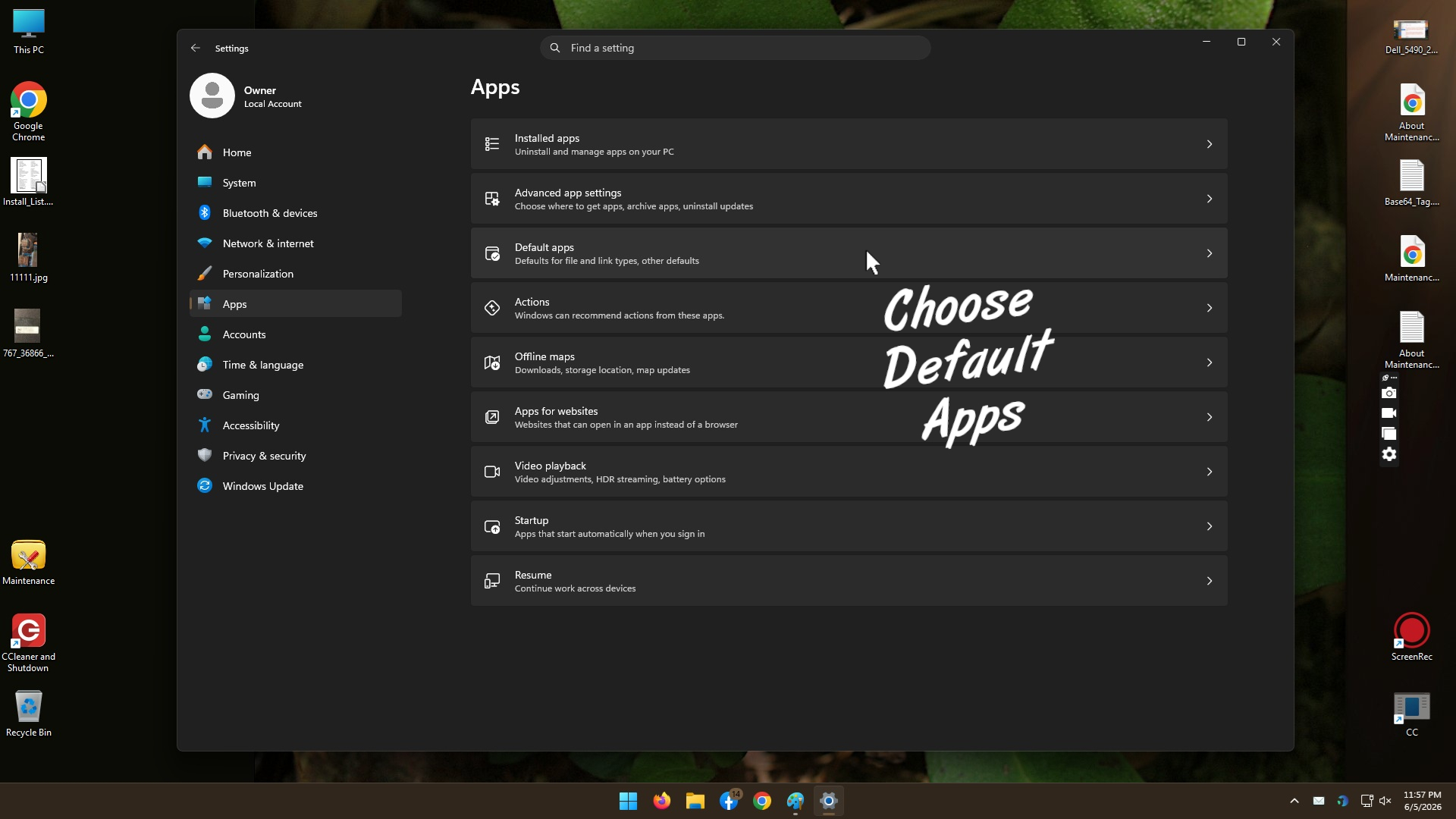
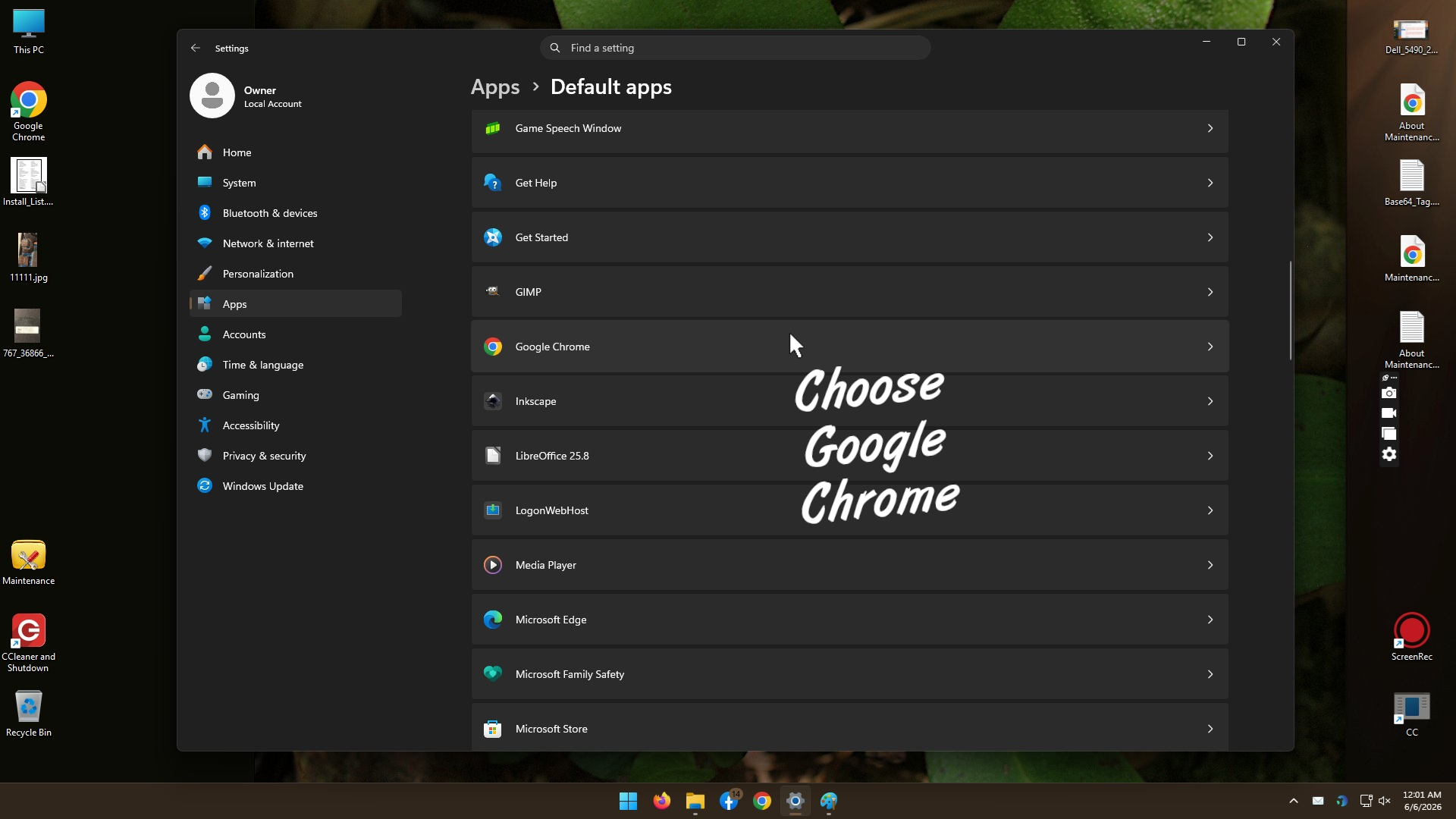
Choose Google Chrome
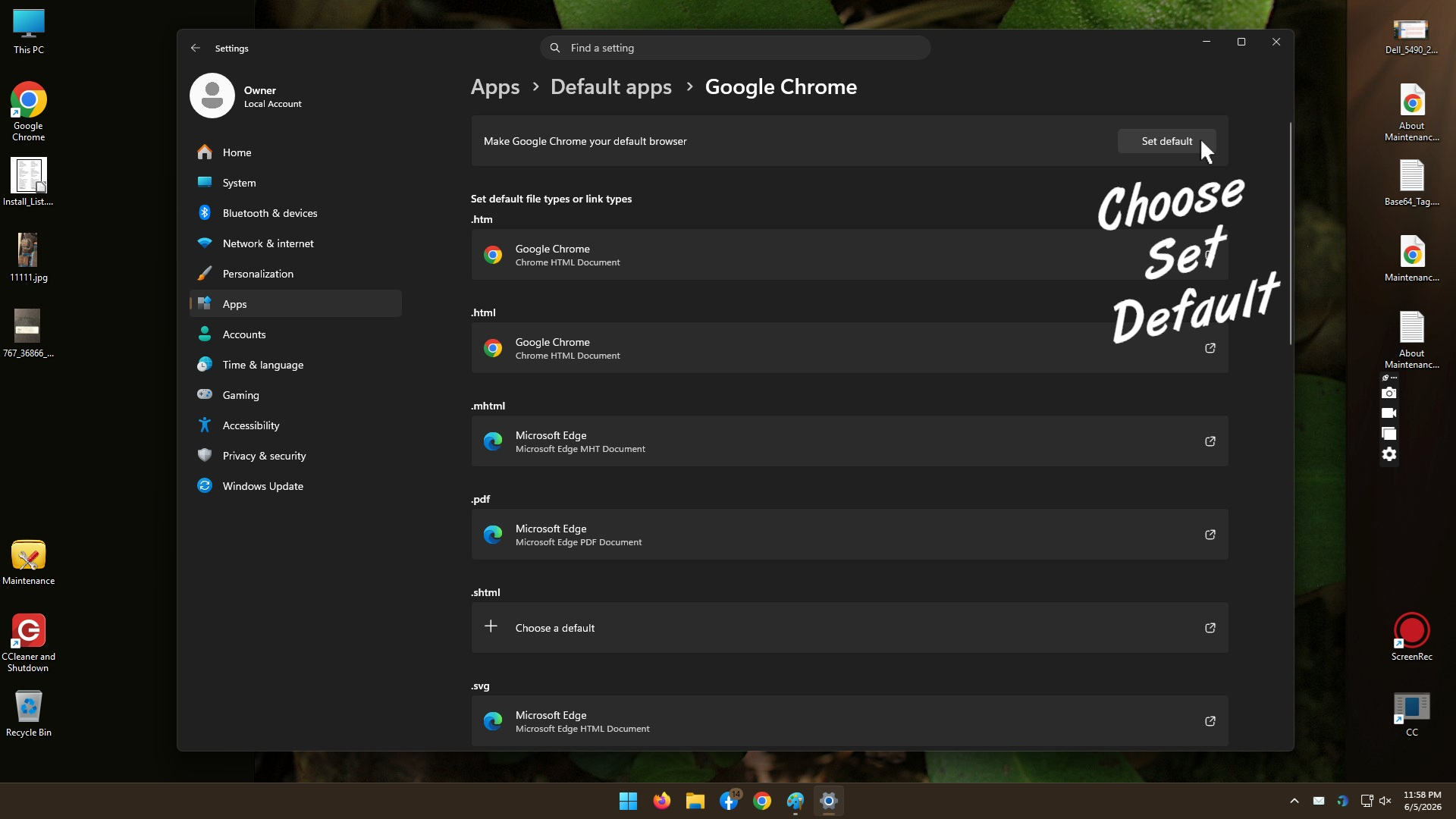
Choose Set Default